Event types and conversation flow in the AI Agents Chat API
The Converse with a Bot endpoint uses the eventType field to specify the type of conversation event being sent. The endpoint’s response varies depending on the event type provided.
Identifying conversations with platformConversationId
Each conversation between a visitor and a bot is uniquely identified using the platformConversationId string. You can define the format of this id, but it must be unique for each conversation. We recommend recommend using a universally unique identifier (UUID) to avoid collisions. For example, in Node.js, you can generate a UUID using a library such as uuid.
Supported event types
startSession
The startSession event starts a new chat session with a bot, creating a new conversation for the provided platformConversationId. When a session starts, the bot sends a greeting message (if configured) and begins monitoring for inactivity. If supported by the bot, it’s also possible to restart a session using an existing platformConversationId.
Here's an example request body to start a conversation:
{"platformConversationId": "00000001","eventType": "startSession","metadata": [{"key": "userId","value": "123456789"},{"key": "accountId","value": "abcdefghi","sanitize": true}]}
message
The message event represents a message sent by a visitor within an existing conversation identified by platformConversationId. If the conversation does not exist, this event creates a new session using the supplied ID. The endpoint also handles escalation events configured for your bot.
Here is an example request body to send a message in a conversation:
{"platformConversationId": "00000001","eventType": "message","text": "I want to make a refund","metadata": [{"key": "userId","value": "123456789"},{"key": "accountId","value": "abcdefghi","sanitize": true}]}
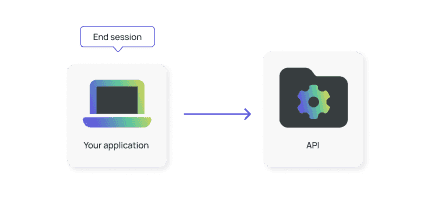
endSession
The endSession event ends an ongoing conversation with a bot for the given platformConversationId. This also deletes the conversation session.
Here's an example request body to end a conversation:
{"platformConversationId": "00000001","eventType": "endSession"}
metadata
Although the recommended approach is to include the metadata field with other events, it’s also possible to send metadata as its own event. This should only be done in rare cases.
Here's an example request body to send metadata a conversation:
{"platformConversationId": "00000001","eventType": "metadata","metadata": [{"key": "userId","value": "123456789"},{"key": "accountId","value": "abcdefghi","sanitize": true}]}
Conversation flow overview
A typical conversation with a bot follows this pattern:
-
(Optional) Start the session using the
startSessionevent. If not started explicitly, a session is automatically created when the first message is received.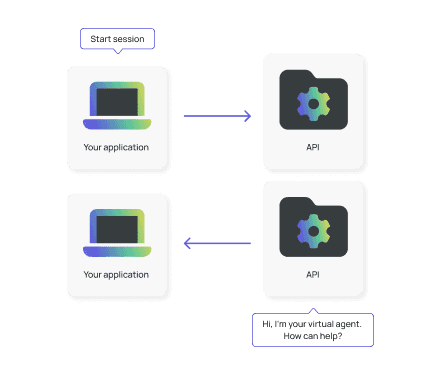
Using the start session event allows the bot to send a welcome message at the start of the conversation, before the user sends their first message. If this event is skipped, the greeting must be handled by your chat widget or application, rather than being configured in the bot itself.
-
Conversing: Each visitor message is sent as a
messageevent.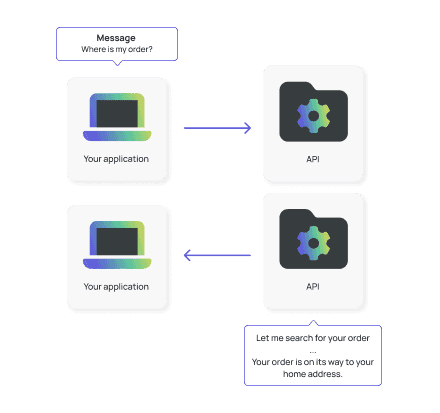
-
(Optional) End the session using the
endSessionevent. If not ended explicitly, the session closes automatically after a configurable period of inactivity.